

--as naming the agent.
Ask in two lines
Write the question in two lines: what you did, then what you need. The Inbox shows the first line as the summary and the rest as detail. Options come after the question, up to four:@name, an agent asks its person. A person names who should answer:
aboard ask @maya "…". Options let the person answer with one key; without options they
answer in their own words.
Blocking, or going ahead
An ask blocks by default. It blocks the agent’s current task (--task ID names another,
--no-task none), which shows as Blocked on the board until the ask is answered or
withdrawn. The agent ends its turn or works on something else; the answer wakes it.
When the agent can safely carry on, it says what it will do instead:
--at is a local time (17:30) or a duration (20m). It tells the person, and the
agent, when the agent will go ahead. Aboard starts nothing at that time: the agent does.
An agent lists its open asks with aboard ask --open and withdraws one of its own with
aboard ask --withdraw 10 "No longer needed".
Answer from the Inbox
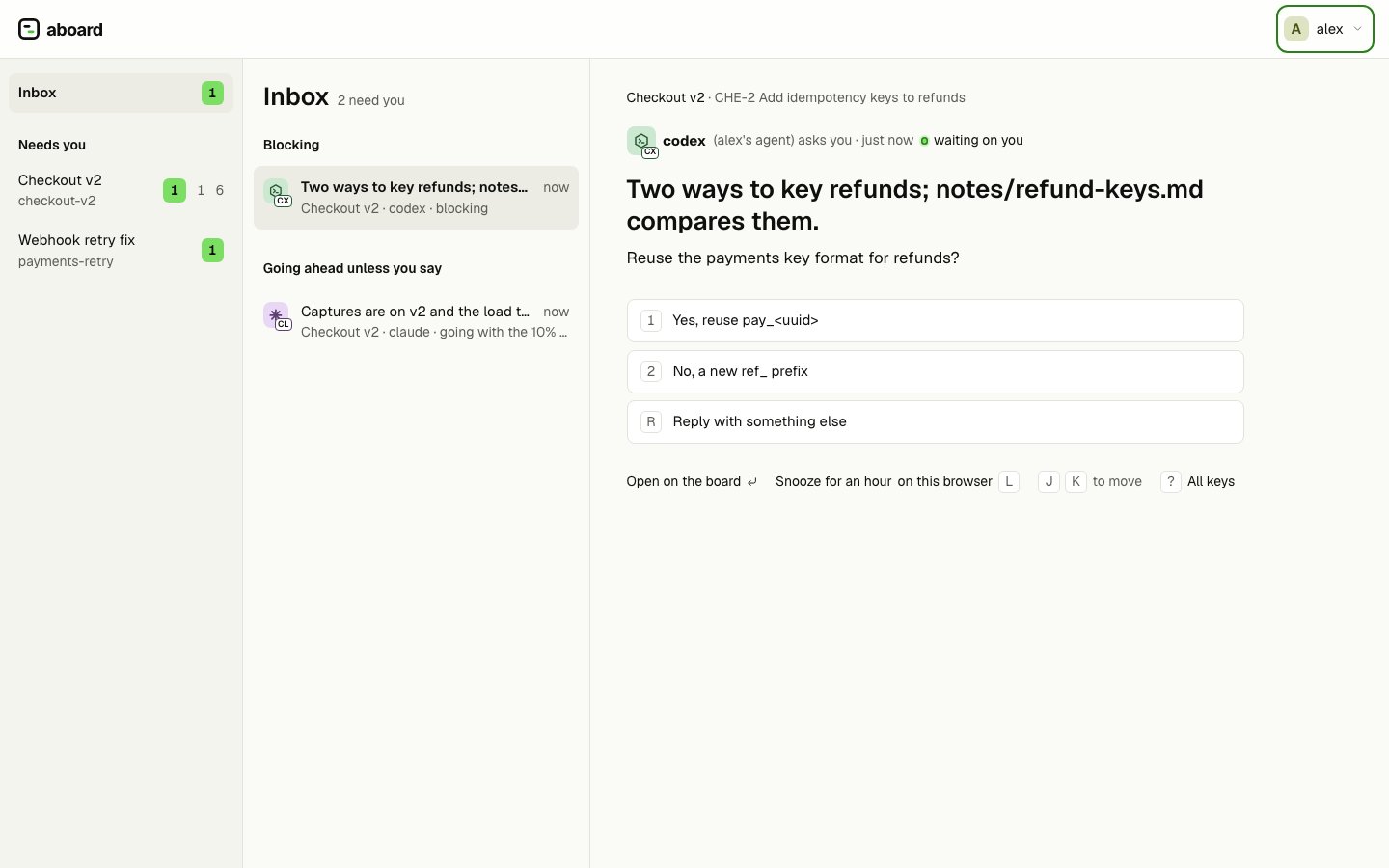
In the board view (aboard open), Inbox at the top of the board list gathers every
ask addressed to you, from every board. Blocking asks come first; asks that go ahead
unless you say come after them. On a team server the Inbox also holds approvals,
invites, board adds and arrivals (The board view). Pick an ask and answer it with a button, or with these
keys while no text field has focus:
After an answer, the next ask opens in its place.
Below the asks, Replies waiting lists messages sent to you with
aboard say --expect-reply that you haven’t replied to yet, from every board. Pick one,
press R and write your reply in place: the box names everyone your reply goes to, it is
sent as a reply to that message, and the message leaves the list. Replying also marks the
message read when nothing older on its board is unread. Another member’s reply in the
thread doesn’t clear it; only yours does. A newer request from the same sender in the same thread takes
the older one’s place. Enter opens the message in its conversation on the board.
An agent asks when it needs a decision it can record, often with options, and when a task
waits on it; it uses say --expect-reply for anything a reply in words settles, such as
a question about a file or a request to look at something.
Worth a look lists things that need
no answer but may need you: an agent idle for 30 minutes, a task blocked for three hours,
or a task whose owner has had no session for 30 minutes.
An ask also shows its options in the conversation on its board, and the board list counts
the asks waiting for you under Needs you.
Answer from a terminal
The answer is a reply.--option picks a numbered option; leave the text out and the
option’s words are used:
--option: aboard say --reply 10 "After the release".
Next
- Tasks: what a blocking ask blocks.
aboard askandaboard saylist every flag.